
A coding agent uses the wrong flag. You explain the correction, and the command works. The useful question is what happens when another session makes the same mistake.
This walkthrough follows one harmless error from failure to saved correction to actual execution. It uses the Harbour project brief from the memory walkthrough, a released Terraphim agent, and an OpenCode adapter included in the download.
Download the Harbour hooks example · Read the transcript
Start with the command that fails
Harbour's validator checks that its brief contains a decision, a risk and an owner. The correct command ends with --check. In the baseline run, OpenCode actually attempts:
python3 validate-brief.py --chek
The argument is misspelled. Python's argument parser reports that --check is required and exits with status 2. No validation.json is created. The downloadable trace contains the host's actual tool result, including that output and exit status.
That distinction matters: the coding host itself can finish normally after reporting a failed tool. Its overall process exit code is not evidence that the validator succeeded. Here we inspect the shell tool's result and the expected output file.
Capture the failure that really happened
The included project-local adapter receives OpenCode's after-tool event. It translates the real command, combined output and exit status into Terraphim's learning-hook schema, then calls the released agent.
The saved Markdown learning contains the command, exit code 2 and the parser's actual error. A new CLI process can list it again. This gives the correction a concrete source: an observed failure, with a saved record that can be inspected.
The adapter is part of this example. In the tested release, passing a native OpenCode event directly with --format opencode does not by itself establish that a learning was captured. The script checks the resulting file and later readback.
Review and promote the correction
We add the intended command to the failure record with learn correct. That records a proposed correction. It does not automatically make it a replacement rule: compiling the failure record alone produces zero correction entries in this release.
The next step is explicit human review and promotion to a tool preference. The reproduction script runs this command inside its isolated store:
terraphim-agent learn correction add \
  --correction-type tool-preference \
  --original 'python3 validate-brief.py --chek' \
  --corrected 'python3 validate-brief.py --check' \
  --context 'Manually reviewed correction from the captured failure'
terraphim-agent learn compile --output compiled-corrections.json
terraphim-agent learn export-kg --output kg
Compilation now reports one correction. The selected Harbour Validator role loads that compiled JSON. The exported Markdown makes the relationship readable:
# python3 validate-brief.py --check
synonyms:: python3 validate-brief.py --chek
This uses the same explicit synonyms:: idea as the editor-to-search flow. The correction says which command this project prefers. In this walkthrough the hook reads the compiled JSON; exporting a Markdown file alone is not the activation step.
Inspect the hook before involving execution
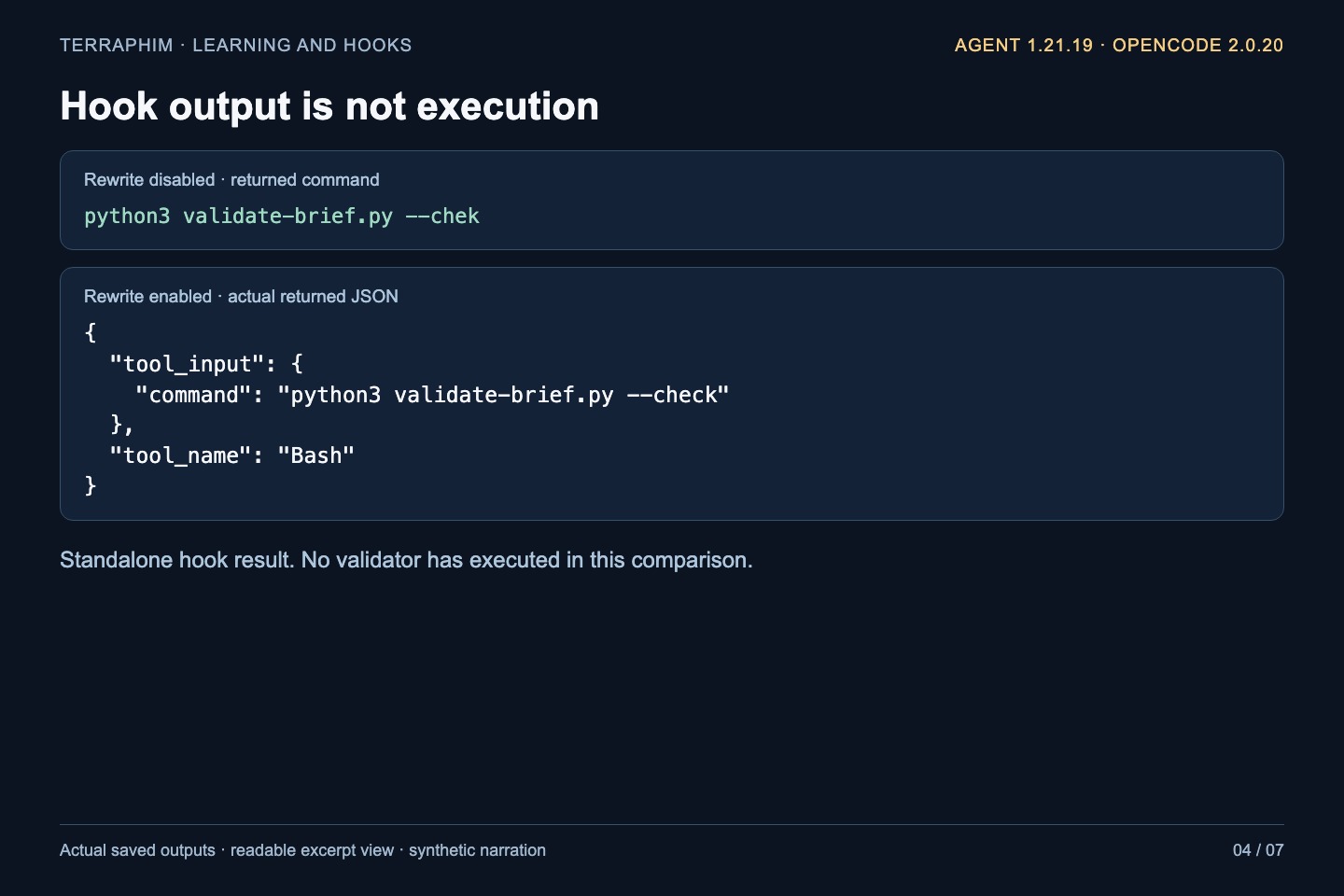
First we call the pre-tool hook on a saved input. Without --rewrite, the returned command keeps --chek and includes a warning about a replaceable match. With --rewrite, the returned JSON contains:
{
  "tool_input": {"command": "python3 validate-brief.py --check"},
  "tool_name": "Bash"
}
That is a hook result. It has not executed Python. The example retains both results so you can compare the disabled and enabled behavior. An unrelated command and a role without this correction remain unchanged.
Verify what the coding host actually runs
Now start a fresh OpenCode process and ask it to try the same misspelled command. Its before-tool event reaches the adapter. The adapter calls Terraphim with rewriting enabled, then applies the returned command through OpenCode V2's mutable tool input.
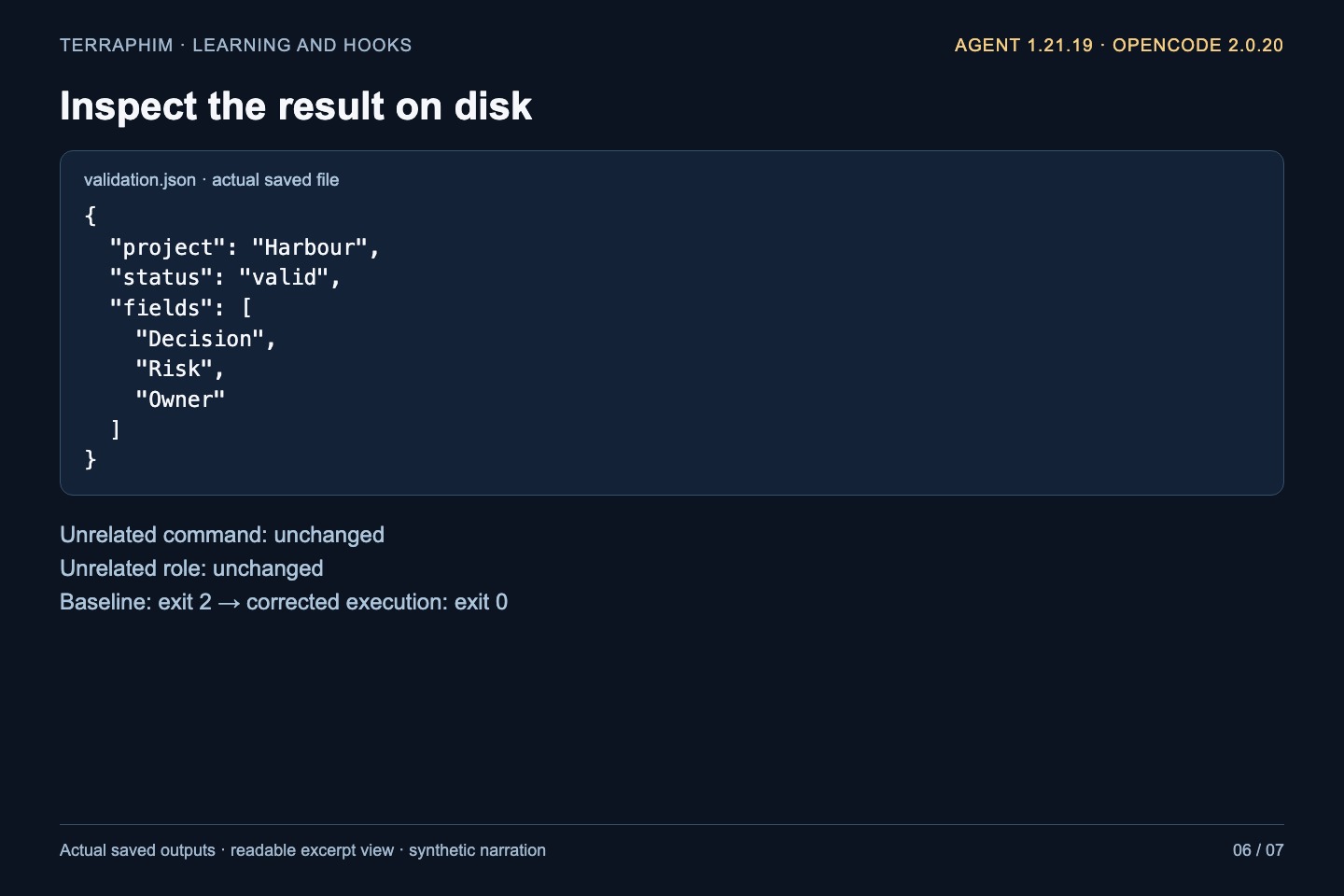
The after-tool event records python3 validate-brief.py --check. Its exit status is 0. The validator prints a valid Harbour result and writes this file:
{
  "project": "Harbour",
  "status": "valid",
  "fields": ["Decision", "Risk", "Owner"]
}
The host transcript can still display the model's original attempted input. That is why the download includes adapter events, the actual tool result and validation.json, as well as the transcript. Together they show the attempted command, the applied correction and the resulting execution.
Reproduce it in a new folder
The example was verified with terraphim-agent v1.21.19 and OpenCode 2.0.20. Follow the ZIP's README to check the release archive, choose your already authenticated coding model and run:
python3 reproduce.py \
  --agent /absolute/path/to/terraphim-agent \
  --model kimi-code-plan-global/k3 \
  --output /absolute/path/to/a-new-harbour-run
Use your configured model identifier if it differs. The script uses a new folder for the fixture, settings, learning store and project-local adapter. It does not install global hooks or select a paid fallback. The recorded run used the existing Kimi coding-plan route.
Read evidence/verification.json, the host events and validation.json. The script fails if the host does not perform the expected command or the saved outputs do not match. You can inspect the source before running it; only the two local validator commands are permitted by the fixture's host configuration.
Keep the scope of the example visible
This demonstrates one reviewed correction with one tested host adapter. It does not prove every coding host applies the same JSON, or that failure capture should automatically approve arbitrary substitutions. The earlier memory example and this learning store also remain separate; neither silently copies into the other.
Use public sample data for this release's learning capture. Tests with deliberately fake secret-shaped values found redaction gaps in saved command and working-directory fields, and in some hook passthrough values. The example makes no blanket secret-redaction claim. The coding host uses its configured online model; Terraphim's demonstrated correction lookup uses the local compiled graph.
Download the example and saved outputs to follow the whole chain: a failure that happened, a correction someone reviewed, and a later command whose result can be checked.
Updated 13 October 2026. The video uses synthetic British female narration and readable excerpts from actual released-binary and host outputs. The Harbour project is fictional public sample data.